
How to Grade Papers Fast — 7 Tips for Teachers
Grading papers is one of the most time consuming parts of teaching. Between lesson planning parent communication administrative work and classroom management grading often gets pushed to evenings and weekends. A teacher grading 30 papers by hand for every test can spend hours on a task that should take minutes.
This guide gives you 7 practical tips to grade papers fast without sacrificing accuracy or fairness. Whether you teach elementary school high school or college these strategies will save you significant time every single week.
Why Fast Grading Matters for Teachers
Speed in grading is not about cutting corners. It is about protecting your time and energy so you can focus on what actually matters — teaching.
When grading takes too long it creates a backlog. Students wait days for feedback. You carry stacks of unmarked papers everywhere. The stress builds up. Fast grading solves all of this. Students get timely feedback. You reclaim your evenings. Your workflow stays clean and manageable.
The goal is to grade papers fast. Every tip in this guide achieves both.
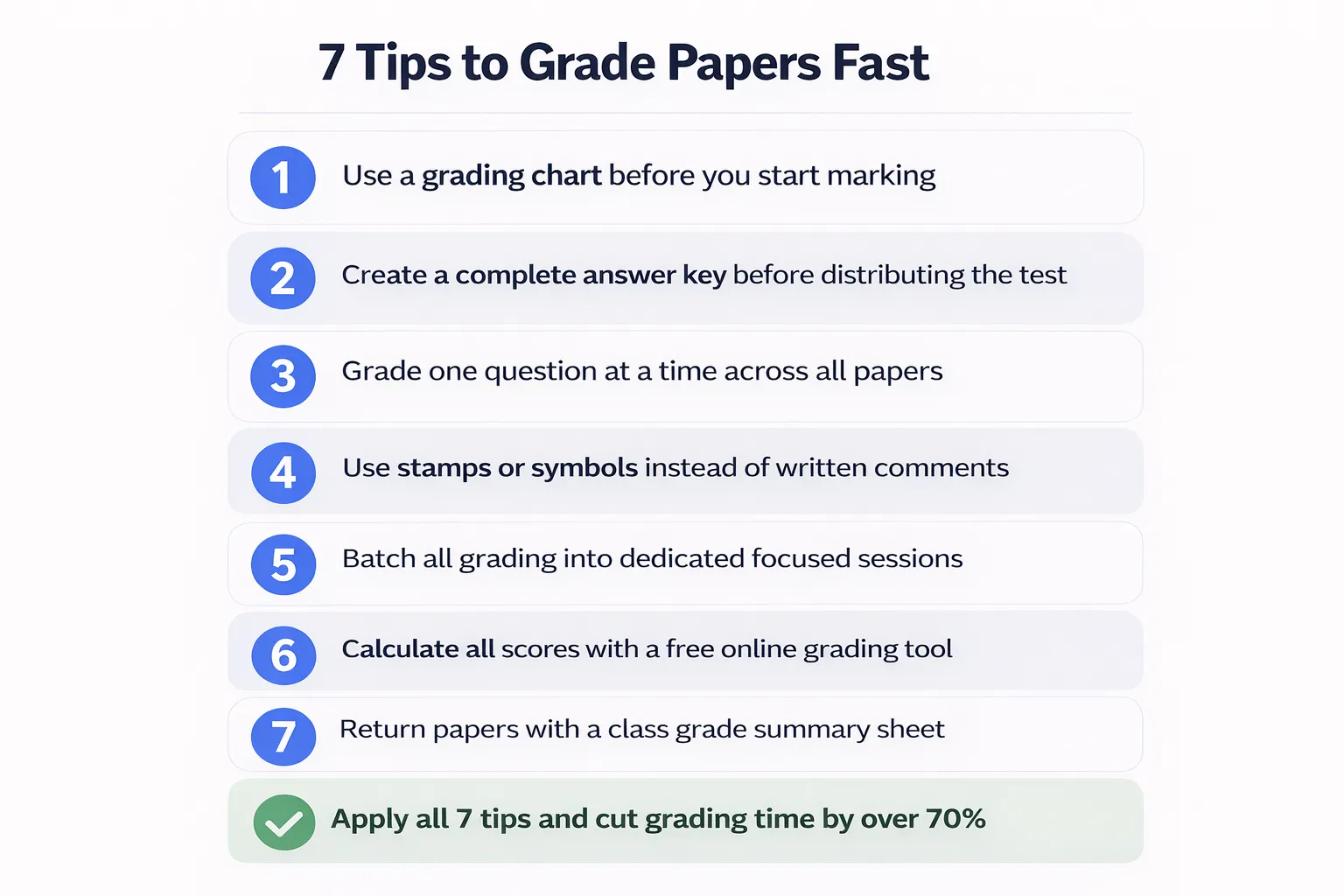
Tip 1 — Use a Grading Chart Before You Start
The single biggest time saver for any teacher is having a grading chart ready before the first paper lands on your desk.
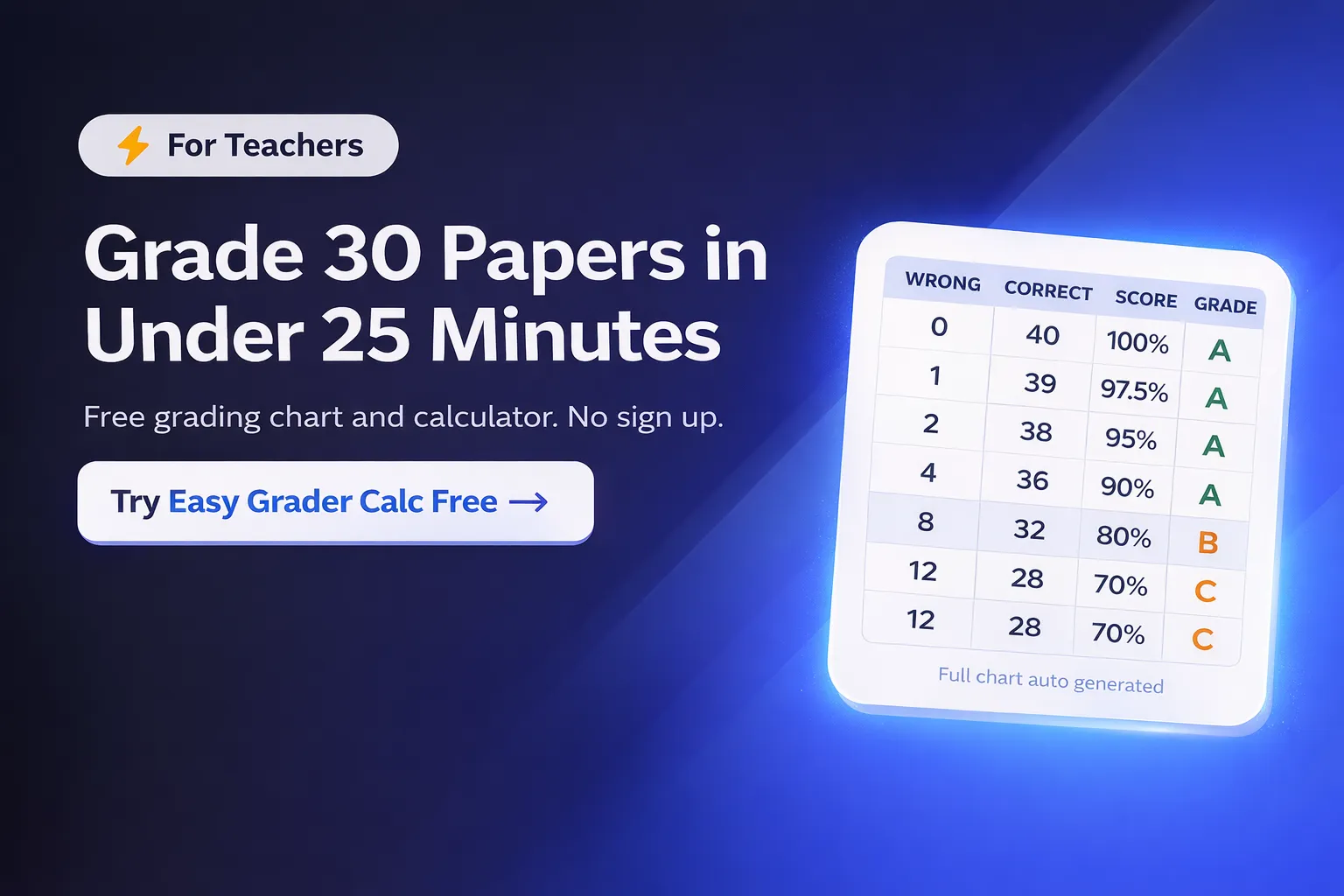
A grading chart shows every possible score for a given test. If your test has 40 questions the chart shows what percentage a student gets for 0 wrong 1 wrong 2 wrong and so on all the way to 40 wrong. Instead of calculating each student’s score individually you simply count wrong answers and look up the result.
Easy Grader Calc generates a complete grading chart automatically the moment you enter your total question count. Open it on your phone or laptop before class. Grade 30 papers by looking up each score on one chart instead of calculating each one separately and helping you to grade papers fast.
This single habit can cut your grading time by 50% or more on multiple choice and short answer tests.
Tip 2 — Create an Answer Key Before Distributing the Test
This sounds obvious but many teachers skip it. Before you hand out a test complete it yourself and write down every correct answer in a clear answer key.
A good answer key includes:
- The correct answer for every question
- Point values for each question if they vary
- Acceptable alternative answers for open ended questions
- Common wrong answers to watch for
When you have a clear answer key grading becomes mechanical which helps you to grade papers fast. You are comparing student answers against a reference rather than making judgment calls on every paper. This speeds up the process and makes your grading more consistent across the whole class.
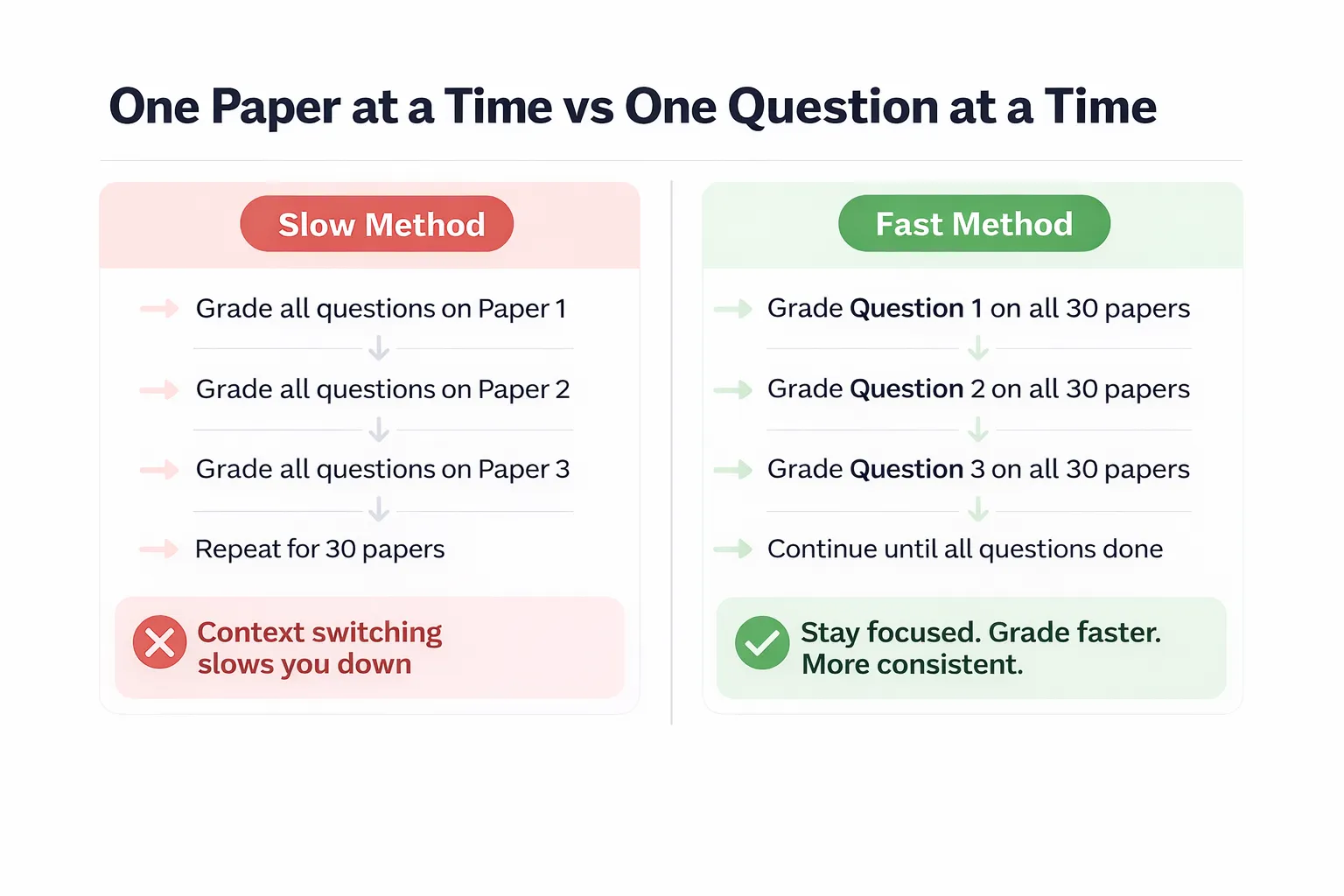
Tip 3 — Grade One Question at a Time Across All Papers
Most teachers grade one student at a time from front to back of each paper. There is a faster way to grade papers fast.
Grade question 1 on every paper first. Then go back and grade question 2 on every paper. Then question 3 and so on.
This method is faster for three reasons. First your brain stays focused on one question type rather than switching context for every new question. Second you make more consistent judgments because you are comparing all student answers to one question side by side. Third you build speed on each question as you go through the stack.
This technique works especially well for essay questions and short answer sections where judgment calls are required.
Tip 4 — Use Stamps or Symbols Instead of Written Comments
Writing individual comments on every paper takes far more time than the grading itself. For routine assessments replace written comments with a simple stamp or symbol system to grade papers fast.
Here is a simple system that works:
| Symbol | Meaning |
|---|---|
| ✓ | Correct |
| ✗ | Incorrect |
| ✓+ | Correct with strong reasoning |
| ✗? | Incorrect but partially understood |
| → | See example in textbook |
| ★ | Outstanding work |
Develop your own shorthand that your students understand. Explain it once at the start of the year. After that one symbol communicates what a paragraph of comments used to say.
Save detailed written comments for major assignments final projects and situations where a student is clearly struggling. Routine quizzes and weekly tests do not need paragraph length feedback.
Tip 5 — Batch Your Grading Sessions
Grading a few papers here and there throughout the day sounds efficient but it actually wastes time. Every time you pick up papers you need to re-read the answer key remind yourself of the rubric and get back into grading mode. That setup time adds up.
Instead batch all your grading into dedicated focused sessions to grade papers fast.
Practical batching approach:
- Set a specific time block each day or week for grading only
- Clear your desk of everything except the papers answer key and your grading tool
- Grade the entire stack in one sitting without interruption
- Use a timer to track your pace and improve over time
A 45 minute focused grading session gets more done than three separate 20 minute sessions spread across the day. The setup cost drops from three times to once and you maintain momentum throughout the whole stack.
Tip 6 — Calculate All Scores in One Step with a Free Tool
After marking a paper most teachers still need to count the wrong answers and calculate the percentage by hand. For a class of 30 students that is 30 separate calculations.
Skip the mental math entirely. Use Easy Grader Calc to calculate every score instantly.
Here is the fastest workflow:
Step 1 — Before class open easygradercalc.com and enter your total question count. The full grading chart generates automatically.
Step 2 — As you mark each paper count the wrong answers only.
Step 3 — Find that number in the grading chart. The percentage and letter grade are right there.
Step 4 — Write the score on the paper and move to the next one.
You never need to divide or multiply anything. You never make arithmetic errors. You grade faster and every score is 100% accurate. For tests with more than 50 questions the tool shows a full expandable chart covering every possible score.
Tip 7 — Return Papers With a Grade Summary Sheet
After grading a full set of papers most teachers hand them back individually with no context. A better approach is to include a brief grade summary sheet that answers the most common questions before students ask them.
A simple grade summary takes two minutes to create and saves you from repeating the same explanations 20 times.
Include on the grade summary:
- Class average score and letter grade
- Highest and lowest score range
- Questions most students got wrong
- What those questions will be revisited in class
- How this grade fits into the overall course grade
When students receive this context alongside their paper they understand their grade better and ask fewer follow up questions. You spend less time in class explaining results and more time moving forward with new material.
You can calculate the class average instantly using the Average Grader on Easy Grader Calc. Enter all the scores and get the class average in seconds with no manual addition required.
Bonus Tip — Grade Digitally When Possible
If your school uses a learning management system like Google Classroom Canvas or Schoology take advantage of digital submission and grading tools wherever possible.
Digital grading benefits:
- No physical paper to manage or lose
- Automatic scoring for multiple choice questions
- Comments saved and searchable
- Grades transfer directly to gradebook
- Students get feedback faster
Even if your school requires paper tests for major exams using digital tools for homework quizzes and low stakes assessments frees up significant grading time over the course of a semester.
How Much Time Can You Actually Save?
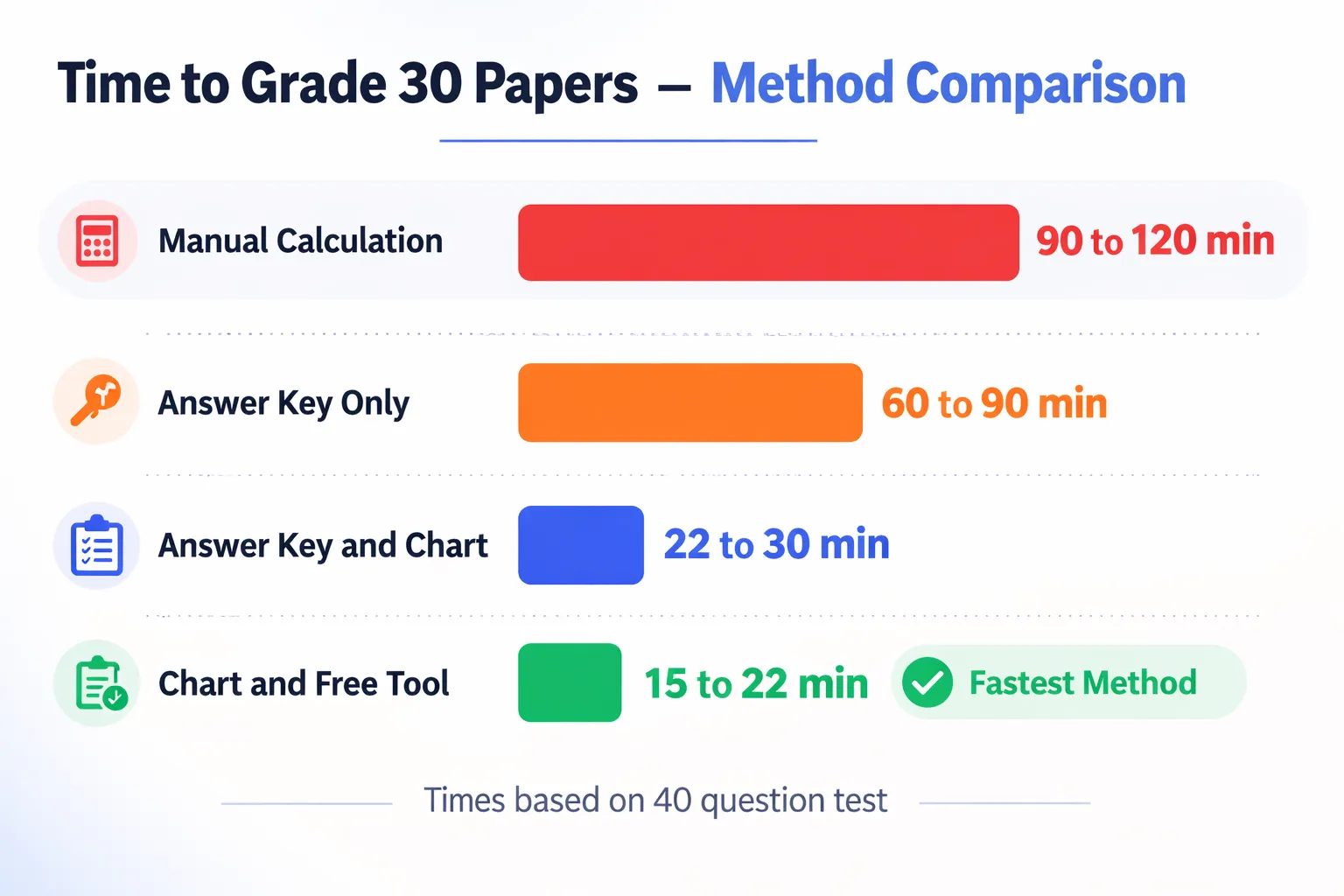
Here is a realistic comparison of grading 30 papers on a 40 question test:
| Method | Time Per Paper | Total Time for 30 Papers |
|---|---|---|
| Manual calculation for each | 3 to 4 minutes | 90 to 120 minutes |
| Answer key plus manual math | 2 to 3 minutes | 60 to 90 minutes |
| Answer key plus grading chart | 45 to 60 seconds | 22 to 30 minutes |
| Grading chart plus free tool | 30 to 45 seconds | 15 to 22 minutes |
Using a grading chart combined with a free online tool reduces a 90 minute grading session to under 25 minutes. That is more than an hour saved on every test you grade.
Across a full school year with weekly assessments that adds up to dozens of hours returned to your life.
Frequently Asked Questions
How do experienced teachers grade papers so fast? Experienced teachers use systems built over time. They always have an answer key ready. They use a grading chart. They batch their grading sessions. They use symbols instead of written comments. These habits combine to make grading fast automatic and stress free.
Is it fair to grade papers without detailed comments? For routine quizzes and multiple choice tests yes. Detailed comments are most valuable on essays projects and assessments where individual feedback drives improvement. Most students benefit more from timely grades than from detailed comments that arrive a week late.
What is the fastest way to grade multiple choice tests? Mark wrong answers only using your answer key. Count the total wrong. Look up the score on a grading chart. Write the grade. Move on. Using this free tool makes the lookup instant and error free.
How do I grade faster without making mistakes? The key is removing mental arithmetic from the process. When you calculate percentages by hand fatigue leads to errors. A grading chart or free online tool does the math for you so accuracy is automatic regardless of how many papers you are grading.
Should I grade every assignment? Not necessarily. Low stakes practice work can be self graded by students in class. Spot checking homework rather than grading every problem is a widely accepted practice that saves time without reducing learning outcomes.
Conclusion
Grading papers fast is a skill built from good habits and the right tools. A clear answer key a grading chart focused batching sessions symbol based feedback and a free calculation tool combine into a system that transforms grading from a dreaded chore into a quick routine task.
The 7 tips in this guide are not shortcuts. They are smarter ways to do the same work. Your accuracy stays the same. Your students get their grades faster. You get your evenings back.
Start with Tip 1 and Tip 6 today. Open Easy Grader Calc before your next test. Enter your question count. Have your grading chart ready. See how much time you save on the very first stack of papers you grade.


В сети можно скачать базу для хрумера, но важно проверить ее качество перед использованием.